




Winnie the Pooh Baby Shower Website Invite with RSVP | Pooh Bear Baby Shower Canva Template
Winnie the Pooh Baby Shower Website Invite with RSVP | Pooh Bear Baby Shower Canva Template
Winnie the Pooh Baby Shower Website Invite with RSVP | Pooh Bear Baby Shower Canva Template
Couldn't load pickup availability
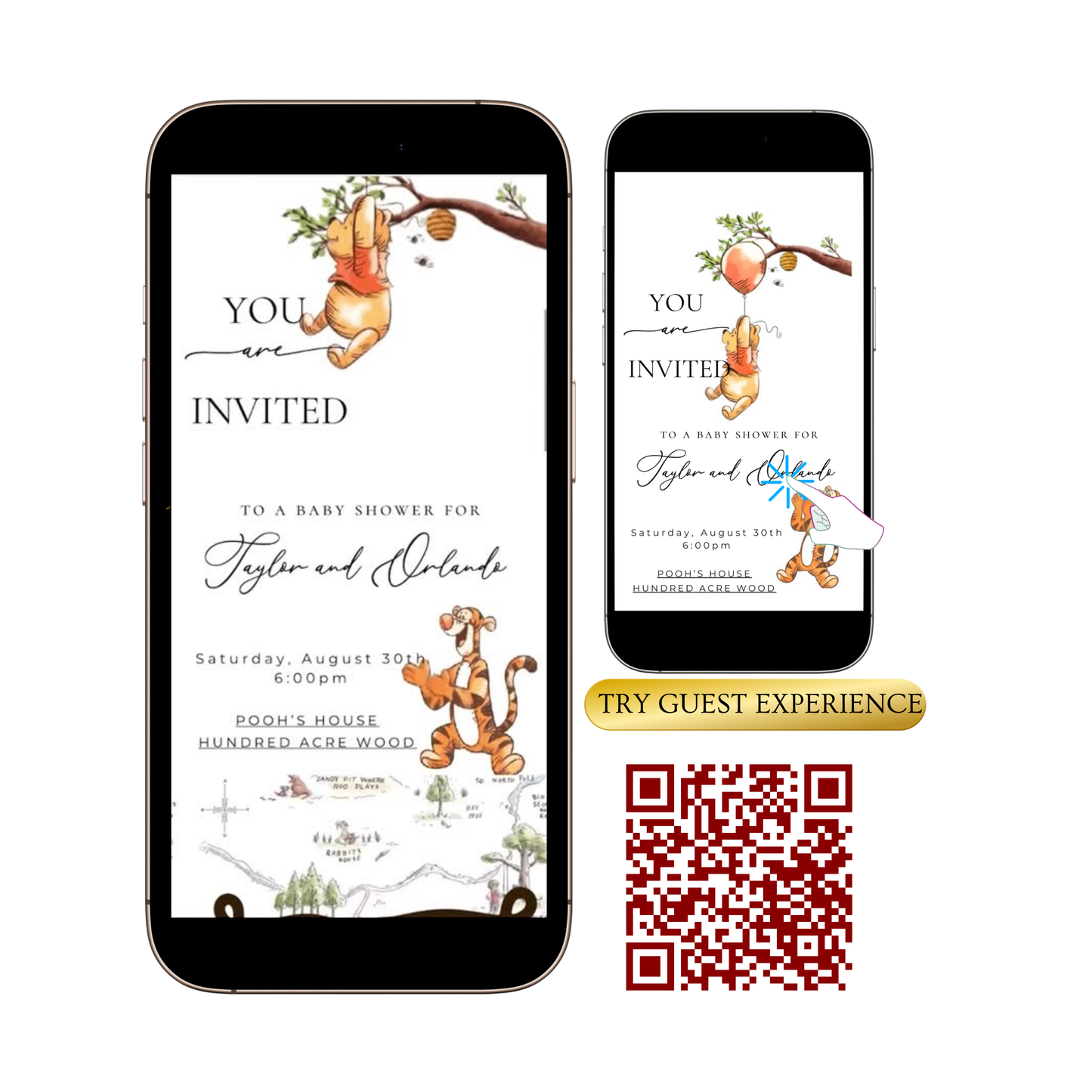
Planning a beautiful baby shower just got easier! This Winnie the Pooh baby shower invitation interactive website is perfect for classic, stylish mamas to be. Whether you're hosting a brunch or a backyard gathering, this invite adds a graceful touch to your chosen baby shower theme.
Demo here: https://lyfetymes.my.canva.site/dagtchc6jjk
This interactive animated invitation website gives the best of both worlds:
VIDEO + MUSIC + INVITE + INTERACTIVE WEBSITE
Invitation Highlights:
* Classic Winnie the Pooh Design • Gender Neutral Pooh elements for a baby celebration
* Interactive & Musical • Gold play button adds a modern interactive option of background music.
* RSVP Made Simple • RSVP platform collects responses automatically.
* Add your URLs easily • We designed with the user in mind to keep it simple
* Fully Customizable • Edit all text, swap out photos, change music, add elements, and more!
How It Works (Easy!):
*Instantly download PDF with Canva Template link
*Start Editing your invite website and adding your links
*Publish & share your invite with guests - RSVP responses are tracked automatically!
Any questions or don’t see what you need? Just message shop ❤️
Product Info
Product Info
Instantly downloadable digital invite with animated text and music for parties and celebrations.
FEATURES ⭐
• Editable Canva invitation template
• High-quality animated design (1080 x 1920 screen)
• Music and RSVP tracking included
• Share by text, WhatsApp, email, or social media
• Mobile-friendly design guests love
How it works
How it works
How It Works
1️⃣ Purchase the template,
Immediately access your Canva template link.
2️⃣ Edit your invitation,
Personalize the design with your event details and photos.
3️⃣ Add your RSVP option by
A) Create LYFETYMES Interactive Website B) LYFETYMES RSVP form- website templates, add a QR code, C) or simply add your phone number to invite.
4️⃣ Send your invitation
by text, email, WhatsApp, or social media.
• Canva account required (free) | LYFETYMES account needed for RSVP/party planning(FREE)
• Personal use only
Editing in Canva
Editing in Canva
All invite editing done in Canva, which is free.
You can:
• Add or remove text
• Change fonts, colors, and size
• Replace photos with your own images
• Change music
• Adjust event details
You cannot:
• Edit animated graphics
• Change the video background
Once you finish editing, simply download and send or share the guest watch link (recommended for best guest experience) by text, email, WhatsApp, or social media.



Edited For You Invite + Custom RSVP Website
Add our premium editing service and we’ll:
- ✔ Edit your video invitation for you
- ✔ Set up your RSVP website
- ✔ Add your event details, RSVP, registry & directions
- ✔ Send your guest website login information
- ✔ Make everything ready to share by text or social media