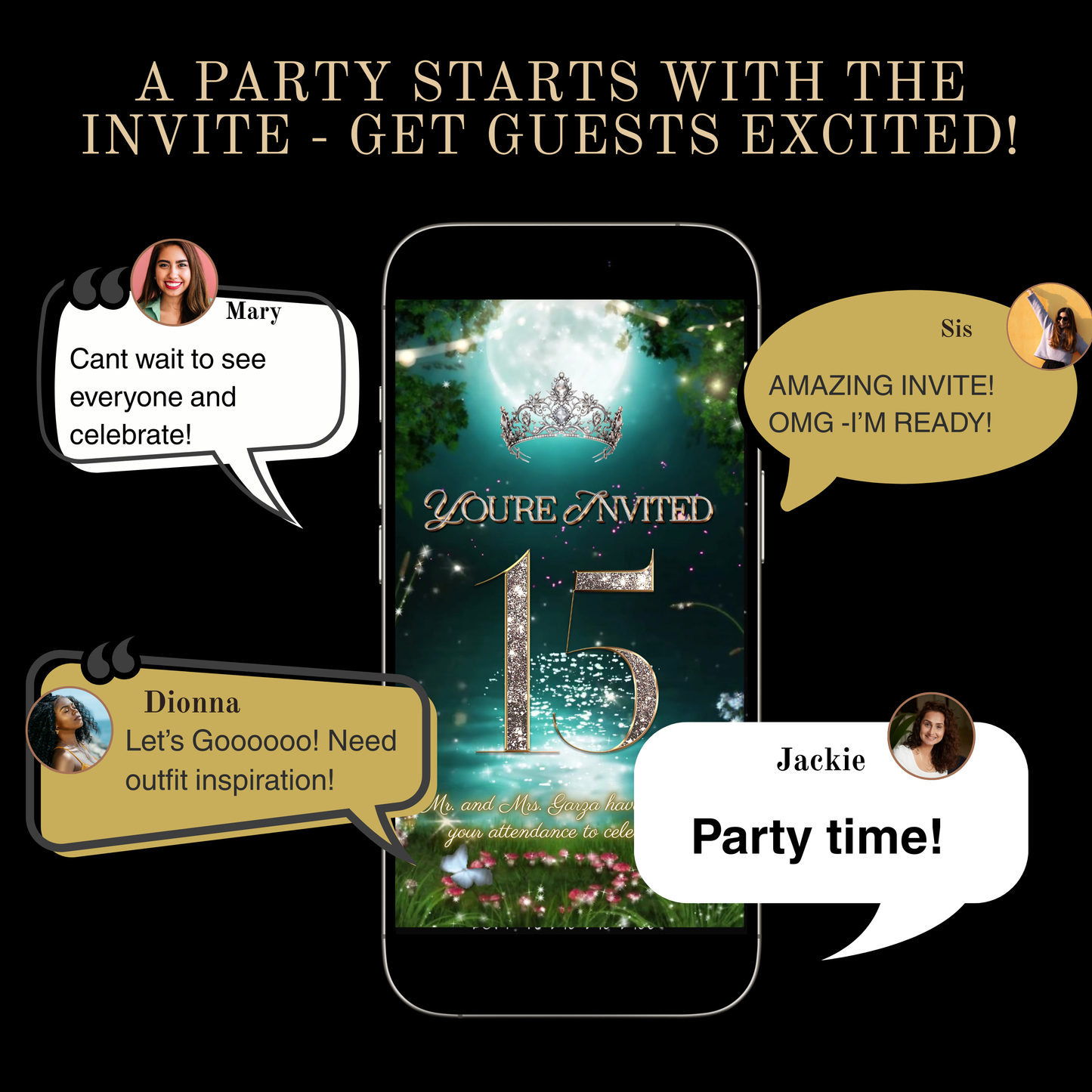
Make her Quinceañera unforgettable with this luxury enchanting fairytale video invitation featuring an enchanted book, royal crown, elegant gown, floral details, and a matching thank you card. This is a fully editable Canva template with a built-in RSVP tracking page, designed for modern families who want a stunning, easy, and mobile-first experience.
💎 F E A T U R E S
✔ Animated video invitation (1080x1920, vertical, phone-perfect)
✔ Matching Thank You Card
✔ RSVP tracking page
✔ Canva template link (edit instantly)
✔ Easy sharing via link or download
✨ P E R F E C T F O R
Quinceañeras | Sweet 16 | Princess Parties | Gold or Royal Themes | Elegant Ballroom Events
🎨 EDIT IN CANVA (It’s Free to edit)
You can:
• Change all text
• Adjust fonts & colors
• Change music
• Add or remove pages
• Personalize in minutes
You can’t:
• Edit the animated backgrounds
See all our famous spinning and animated tiaras here.
Find out more about our amazing RSVP options here.
Need a different color, assistance with editing or questions? Please chat us 🥳 we are here for you!
lightbulb_2
Product Info
Instantly downloadable digital invite with animated text and music for parties and celebrations.
FEATURES ⭐
• Editable Canva invitation template • High-quality animated design (1080 x 1920 screen) • Music and RSVP tracking included • Share by text, WhatsApp, email, or social media • Mobile-friendly design guests love
help
How it works
How It Works
1️⃣ Purchase the template, Immediately access your Canva template link.
2️⃣ Edit your invitation, Personalize the design with your event details and photos.
3️⃣ Add your RSVP option by A) Create LYFETYMES Interactive Website B) LYFETYMES RSVP form- website templates, add a QR code, C) or simply add your phone number to invite.
4️⃣ Send your invitation by text, email, WhatsApp, or social media. • Canva account required (free) | LYFETYMES account needed for RSVP/party planning(FREE) • Personal use only
edit
Editing in Canva
All invite editing done in Canva, which is free.
You can: • Add or remove text • Change fonts, colors, and size • Replace photos with your own images • Change music • Adjust event details
You cannot:
• Edit animated graphics • Change the video background
Once you finish editing, simply download and send or share the guest watch link (recommended for best guest experience) by text, email, WhatsApp, or social media.